


Latest Version
Thuy Linh Nguyen
Internet
iOS
Free
6446185973
Report a Problem
More About XNET: Manage your WiFi Network
XNET: Manage your WiFi Network is a streamlined networking toolkit designed for iOS users who want to diagnose, optimize, and secure their wireless connections without dealing with complex command-line interfaces. Developed by Thuy Linh Nguyen, this utility bridges the gap between expert network administration and everyday mobile convenience, replacing the traditional black terminal screen with an intuitive, tap-and-go graphical interface.
Who Benefits Most from This Mobile Toolkit?
Whether you are a casual internet user trying to find the best connection point or a mobile gamer seeking to minimize latency, this app offers practical tools tailored to your needs. Instead of typing manual commands to check connection status or generate secure credentials, users can access these features instantly. It is particularly useful for individuals who frequently connect to public hotspots and require a quick security check or a reliable way to test server responsiveness on the fly.
Key Features of XNET: Manage your WiFi Network
The application is structured into two tiers, offering essential diagnostics for free alongside advanced diagnostic utilities for upgraded users:
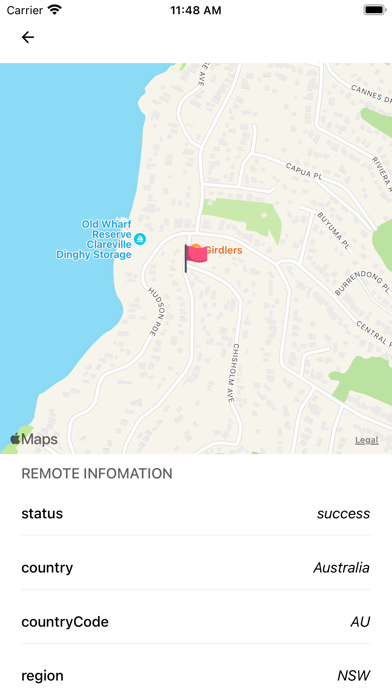
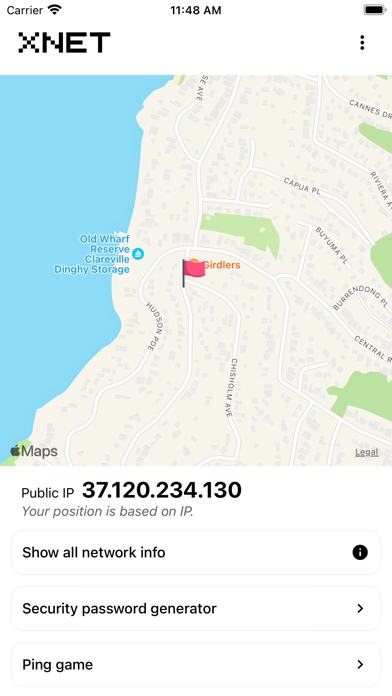
- Real-Time Connection Insights: Instantly view comprehensive details about your current wireless connection to assess signal health and network parameters.
- Advanced Password Generator: Strengthen your home or office router security by creating highly secure, customized passwords that prevent unauthorized access.
- Shared Hotspot Database: Access a curated list of free, shared WiFi networks nearby, making it easier to stay connected while traveling.
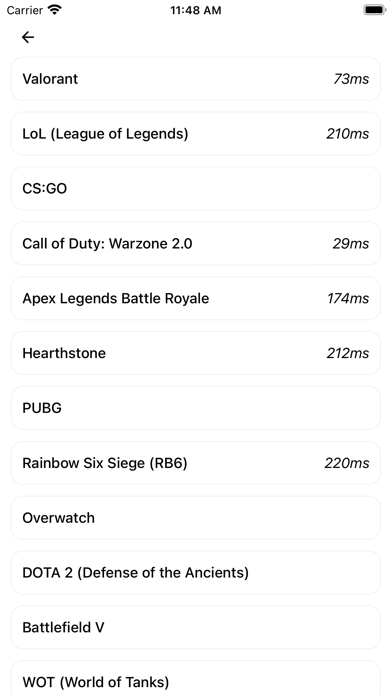
- Server Ping Diagnostics (Upgraded): Test the latency of major gaming servers or input any custom host address to analyze network stability and packet round-trip times.
- Offline Database (Upgraded): Save and review your list of known networks even when you do not have an active internet connection.
Simplifying Complex Network Diagnostics
Traditionally, performing a ping test or gathering precise network data required a laptop and familiarity with terminal commands. By packaging these capabilities into a clean iOS application, the developer has made basic network troubleshooting accessible to everyone. The ability to ping popular gaming servers is a standout addition for mobile gamers who need to verify their latency before launching a competitive match, ensuring a smoother online experience.
Should You Add It to Your Utility Folder?
If you regularly need to troubleshoot your wireless connection, generate secure keys, or monitor latency, this app provides a lightweight and accessible solution. To explore the interface and test its diagnostic features yourself, head over to the official Apple App Store to download XNET: Manage your WiFi Network for iOS today.
Rate the App
User Reviews














Popular Apps










Editor's Choice